Features
What Spooktacular does, by the job you hire it for.
CI runners, remote desktops, Linux guests, networking, fleets and disks. Everything marked shipped is in the open-source tree today; the handful of planned items say so, in text.
One macOS install, shared by every VM.
macOS is installed once per macOS build, into a read-only base image. Every VM after that is a copy-on-write overlay on top. Only the first create pays the install.
A sealed, read-only base
macOS is installed once per build into base.asif,
then sealed read-only. The base is never booted, so its layer
identity cannot drift, a warm pool can prove its base is
pristine instead of assuming it.
Overlays instead of installs
Each VM adds a copy-on-write overlay that stores only its own writes. With the base present, a create is file operations: not another 10–20 minute install per machine.
Clones in 30 ms, for free
Cloning a 5.0 GB VM took a measured 30 ms and consumed
zero additional bytes of disk. Checked with df
before and after on an M-series Mac. APFS shares the blocks
until a clone writes.
What a clone inherits
A clone keeps its source's machine identifier, deliberately. The installer personalizes the auxiliary storage against that identifier, so a fresh one would pair personalized boot state with an identity it was never signed for. Apple warns against running two VMs with the same identifier at once, so treat a clone as a replacement for its source, not a sibling to run beside it. MAC addresses are regenerated, so clones stay distinct on the network.
Disk snapshots
Save, restore, list and delete snapshots per VM. Snapshot before installing Xcode; roll back in an instant if something breaks.
Restore images, managed
The latest compatible macOS restore image is resolved and downloaded automatically: no manual IPSW hunting. One base is kept per macOS build, and a base with a stale provisioner is rebuilt rather than silently reused.
CI runners that reset to known-clean.
Replace bare-metal runners with VMs that take one job, then return to the base image. No snowflake state survives a job.
spook create runner --github-runner --ephemeral
GitHub Actions runners
One command creates, provisions, boots and waits for the runner to report online. A short-lived registration token is minted from a Keychain-stored PAT seconds before boot, so no long-lived credential ever reaches the guest.
Ephemeral by flag
--ephemeral registers the runner for exactly one
job. When the job ends, the VM resets to the base image, so the
next job starts from a provably clean state.
A definitive ready signal
The guest reports its first-boot exit code to the host over a
virtio socket, so spook start prints a definitive
success or failure instead of polling and guessing from a
timeout.
SSH provisioning
Wait-for-SSH with a configurable timeout, then run scripts with streaming output. Works with any user-data script.
Provisioning without a network
The first-boot provisioner is a LaunchDaemon written directly into the shared base image, once per build, not per VM, so guests provision with no SSH and no network at all.
More CI templates
BuildKite, CircleCI and Jenkins runner templates are on the roadmap and not yet shipped.
A desktop you can reach, on first boot.
A remote-desktop VM comes up with an admin account, no Setup Assistant, and Screen Sharing already listening.
sudo spook create desktop --remote-desktop
Ready on first boot
The template provisions an admin account, skips Setup Assistant, and enables Screen Sharing and Remote Login on first boot. Connect over VNC or SSH with the credentials you set. Or with the strong password printed once at create time.
Native guest provisioning
On macOS 27, the account and the Setup Assistant skip use Apple's own guest provisioning options, no OCR, no synthetic keyboard, nothing brittle.
Metal-accelerated displays
One or two GPU-accelerated displays per VM at 1920×1200, for a desktop that feels local, and for GPU-hungry workloads inside the guest.
A display that follows the window
Resolution adjusts automatically when you resize the VM window. No guest-side fiddling.
Audio in both directions
Audio output and microphone passthrough, so video calls and playback work inside the guest.
Clipboard sync
A Guest Tools companion keeps the pasteboard in sync between host and guest over a SPICE serial channel. No SSH, no network involved.
Shared folders
Mount host directories inside the VM over VirtIO, project files, build artifacts and datasets, without copying them into the image.
Accessible throughout
VoiceOver labels, hints and identifiers on every control in the app, announcements for state changes, and reduced-motion support.
Linux guests, no base image required.
Linux VMs boot from a cloud image and are provisioned by cloud-init: no install, no privileges, and no two-VM ceiling.
spook create linux-01 --os linux --from-image fedora
Cloud images, resolved live
--from-image fedora or debian resolves
the latest aarch64 cloud image against each project's release
index at create time; a local raw image, optionally
.xz-compressed, works too. Templates apply here as
well. A Linux VM can register as a GitHub Actions runner.
Installer ISOs
Prefer to walk an installer yourself?
--installer-iso boots any ISO and leaves the
choices to you.
Rosetta for x86-64
Rosetta can be exposed to Linux guests with
--rosetta, so x86-64 binaries run inside the
aarch64 VM.
Runs where macOS guests cannot
Linux guests do not need DiskImageKit, so they work on hosts older than macOS 27, and Apple's two-VM licence ceiling does not apply to them.
Networking a container user would recognize.
Each VM gets its own private subnet and a reserved address, so ports publish cleanly and lookups are reads, not probes.
A private subnet per VM
Every VM gets its own subnet with a DHCP-reserved address, so
spook ip is a metadata read rather than a
lease-file scrape or an ARP guess.
Published ports
--publish hostPort:guestPort, repeatable, backed
by vmnet forwarding rules. Two rules cannot share a host port: that fails loudly at create time instead of silently picking a
winner.
Templates bring their ports
The --openclaw template provisions an OpenClaw AI
workload and publishes its gateway on port 18789 without being
asked.
Air-gapped when you want it
Isolated networking gives a VM zero network access. Run untrusted models, code or experiments in complete isolation.
NAT and bridged
NAT on the per-VM subnet is the default; bridged networking is available, with NAT as the fallback.
A live event stream
Each running VM exposes a live event stream over a Unix
socket, spook stream to watch it,
spook socket for the path your tooling should
attach to.
One core, from a window or a wire.
A native Mac app and a 27-command CLI share one Swift core, and an HTTP control plane drives fleets remotely.
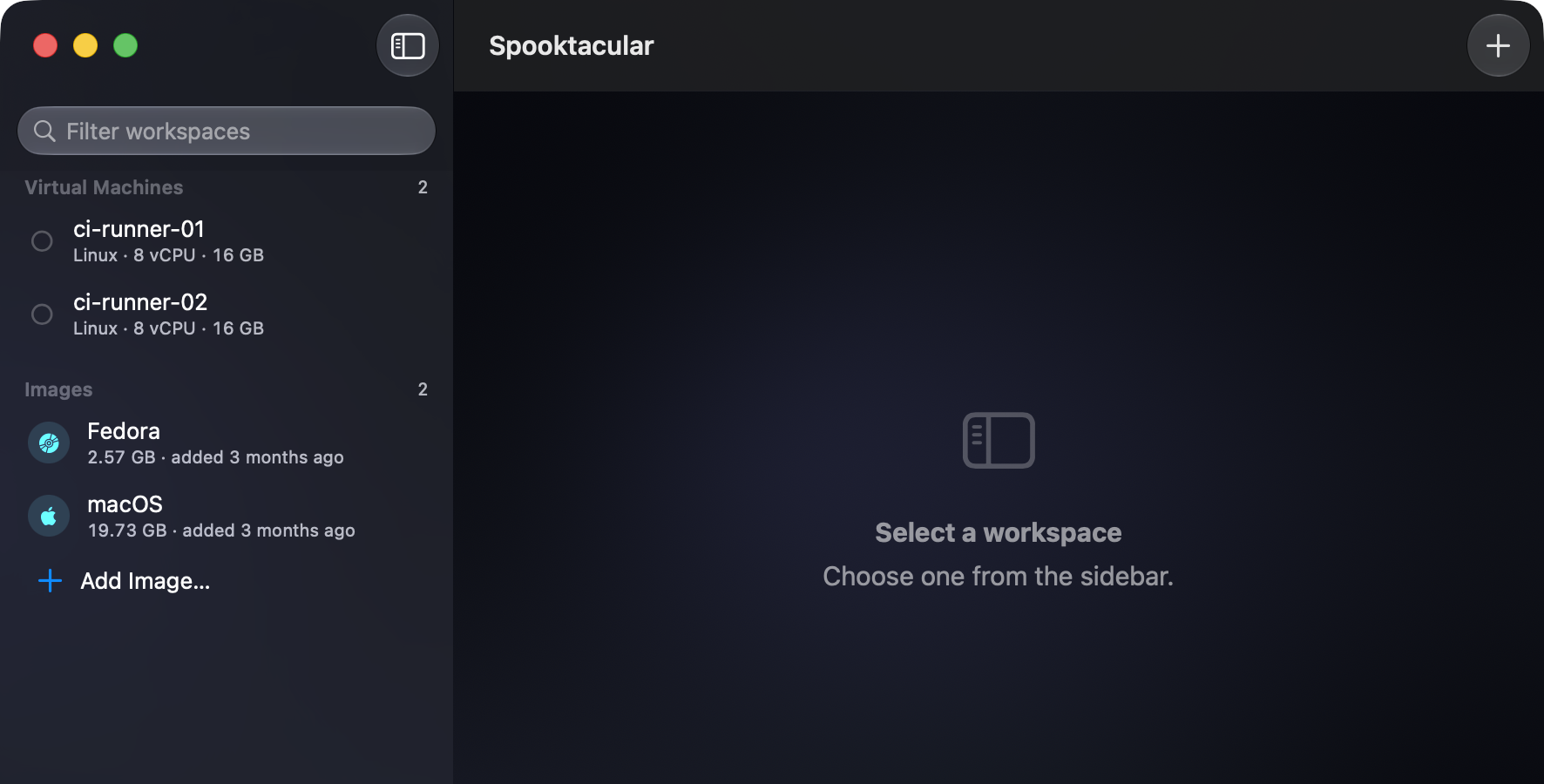
Two front doors, one engine
The app and the CLI sit on the same Swift core. A VM created in either is a first-class citizen of the other, and behaviour cannot drift between them. Twenty-seven subcommands, each with its own help, plus a menu bar extra for quick status.
An HTTP control plane
REST endpoints for VM lifecycle, IAM and RBAC. Every request is signed, so the API can be driven safely from any language or CI system.
Roles and enclave-bound keys
RBAC roles decide who may do what, and API signing keys are bound to the Secure Enclave rather than sitting in a file.
VMs as services
Register any VM as a LaunchDaemon: it starts at boot and restarts on failure. Every running VM writes a PID file, so duplicate starts are refused and external monitors have something to watch.
Suspend and resume
Save a running VM's state to disk and stop it; a later
start resumes where it left off. Discard the saved
state when you no longer want it.
The ceiling, enforced up front
Apple's licence permits two concurrent macOS VMs per host. Spooktacular enforces that at the API rather than letting you discover it partway through a build. Linux guests are unlimited.
Every claim above is auditable.
865 tests in 222 suites. MIT licensed. Built from source today, there are no signed binary releases yet.